Phishing is a method which cybercriminals use to fraudulently obtain your personal and financial information such as your login details, bank account numbers and credit card numbers. Cybercriminals often disguise themselves as a legitimate individual or reputable organisation through email, instant messaging and other communication channels. Once they obtain your personal information, they could gain access to your online accounts, and even impersonate you to scam the people around you, such as your family, friends and business partners.
Phishing scams are ever-evolving. In the past, phishing messages contained bad spelling, grammatical and punctuation errors, making them easier to spot. With the rise of generative artificial intelligence, cybercriminals are coming up with more sophisticated phishing scam messages with minimal errors.
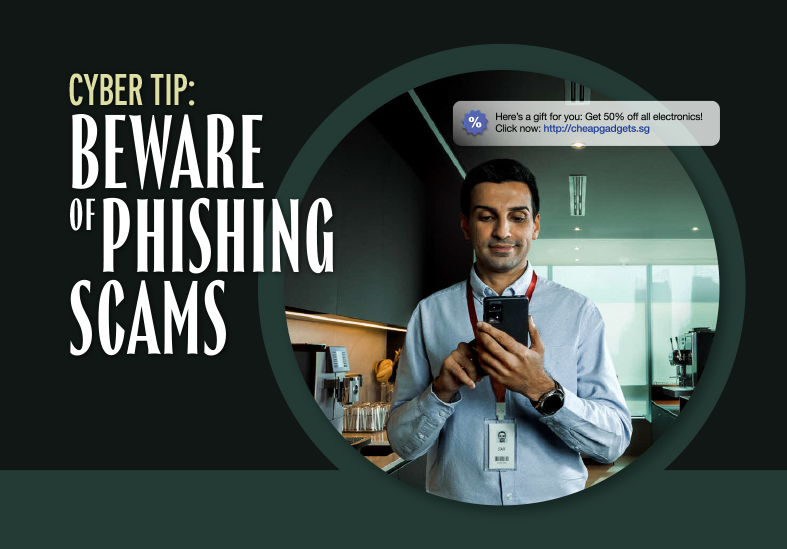
How To Recognize Phishing
Phishing emails and text messages often tell a story to trick you into clicking on a link or opening an attachment. You might get an unexpected email or text message that looks like it’s from a company you know or trust, like a bank or a credit card or utility company. Or maybe it’s from an online payment website or app. The message could be from a scammer, who might
- say they’ve noticed some suspicious activity or log-in attempts — they haven’t
- claim there’s a problem with your account or your payment information — there isn’t
- say you need to confirm some personal or financial information — you don’t
- include an invoice you don’t recognize — it’s fake
- want you to click on a link to make a payment — but the link has malware
- say you’re eligible to register for a government refund — it’s a scam
- offer a coupon for free stuff — it’s not real
Four Ways To Protect Yourself From Phishing
- Protect your computer by using security software. Set the software to update automatically so it will deal with any new security threats.
- Protect your cell phone by setting software to update automatically. These updates could give you critical protection against security threats.
- Protect your accounts by using multi-factor authentication. Some accounts offer extra security by requiring two or more credentials to log in to your account. This is called multi-factor authentication. The extra credentials you need to log in to your account fall into three categories:
- something you know — like a passcode, a PIN, or the answer to a security question.
- something you have — like a one-time verification passcode you get by text, email, or from an authenticator app; or a security key
- something you are — like a scan of your fingerprint, your retina, or your face
- Multi-factor authentication makes it harder for scammers to log in to your accounts if they do get your username and password.
- Protect your data by backing it up. Back up the data on your computer to an external hard drive or in the cloud. Back up the data on your phone, too.
Resources : CSA Singapore
https://www.csa.gov.sg/our-programmes/cybersecurity-outreach/cybersecurity-campaigns/the-unseen-enemy-campaign/beware-of-phishing-scams
Date of Input: 20/08/2024 | Updated: 22/10/2024 | aslamiah
MEDIA SHARING